Selective Las Vegas portfolio
Sin City RentalsView rentals
Menu

Portal tour · owner and resident

This is what it looks likefrom the inside.

Real screens from the running system, not mockups. You are choosing who you will be reading reports from for the next several years, so the honest answer to “what does it actually look like” is to show you before you ask.

About these screensReal interface, fictional records

The addresses, residents and amounts are demonstration accounts. Nothing belonging to a real owner or resident appears anywhere on this page.

01 · Owner

Everything you own, and everything waiting on you.

The first screen answers the two questions an owner actually has: is anything wrong, and does anything need me. Items that need a decision are listed by property with the date they arrived, so nothing waits on a phone call neither of us remembers.

  • Approvals, notices and advisories in one list
  • Per-property spending limits you set, applied before we spend
  • Counts you can check against the detail behind them
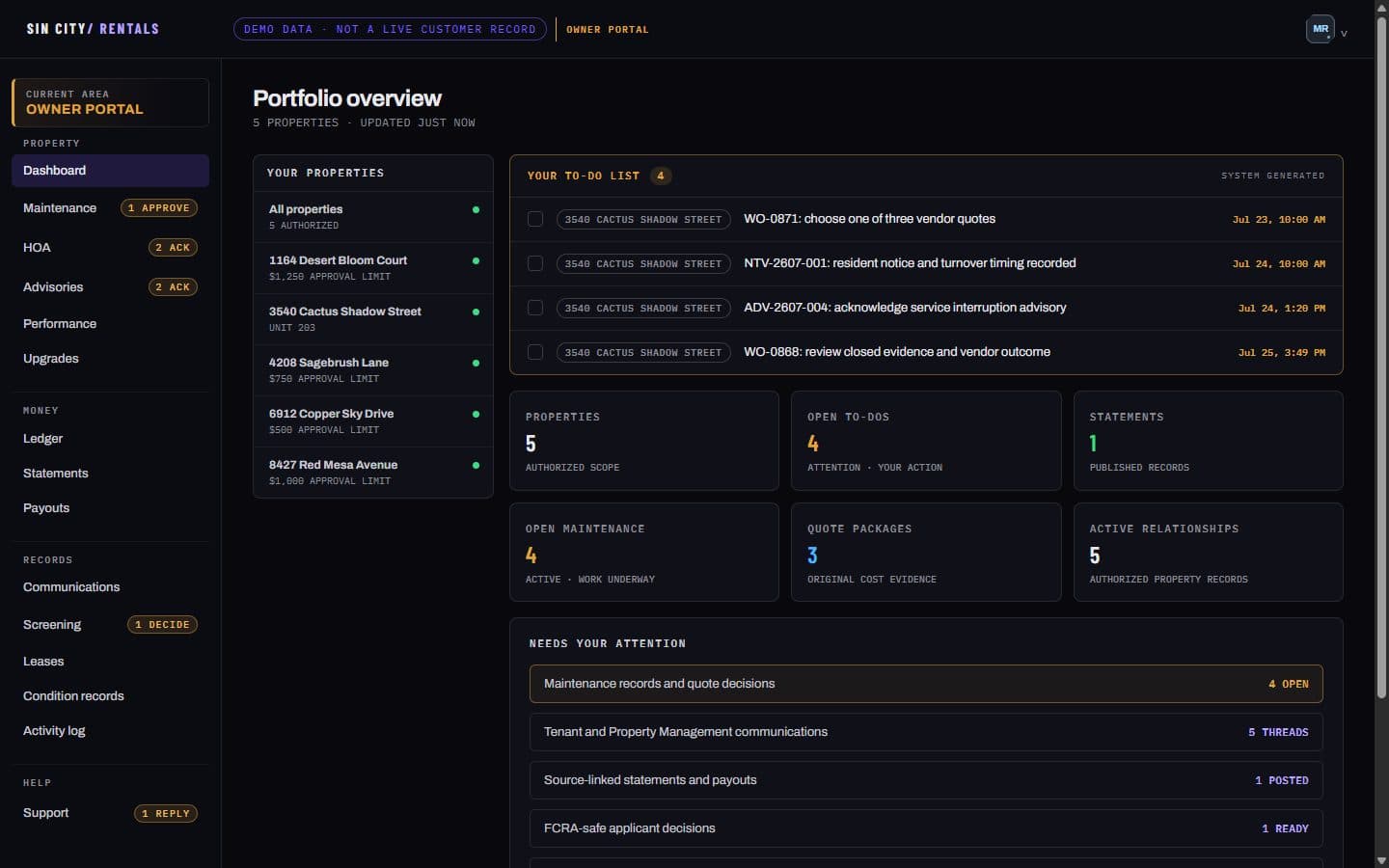
Owner portal dashboard listing five properties, four open to-dos, and counts for statements, maintenance and quote packages
Owner portalPortfolio overview
02 · Owner

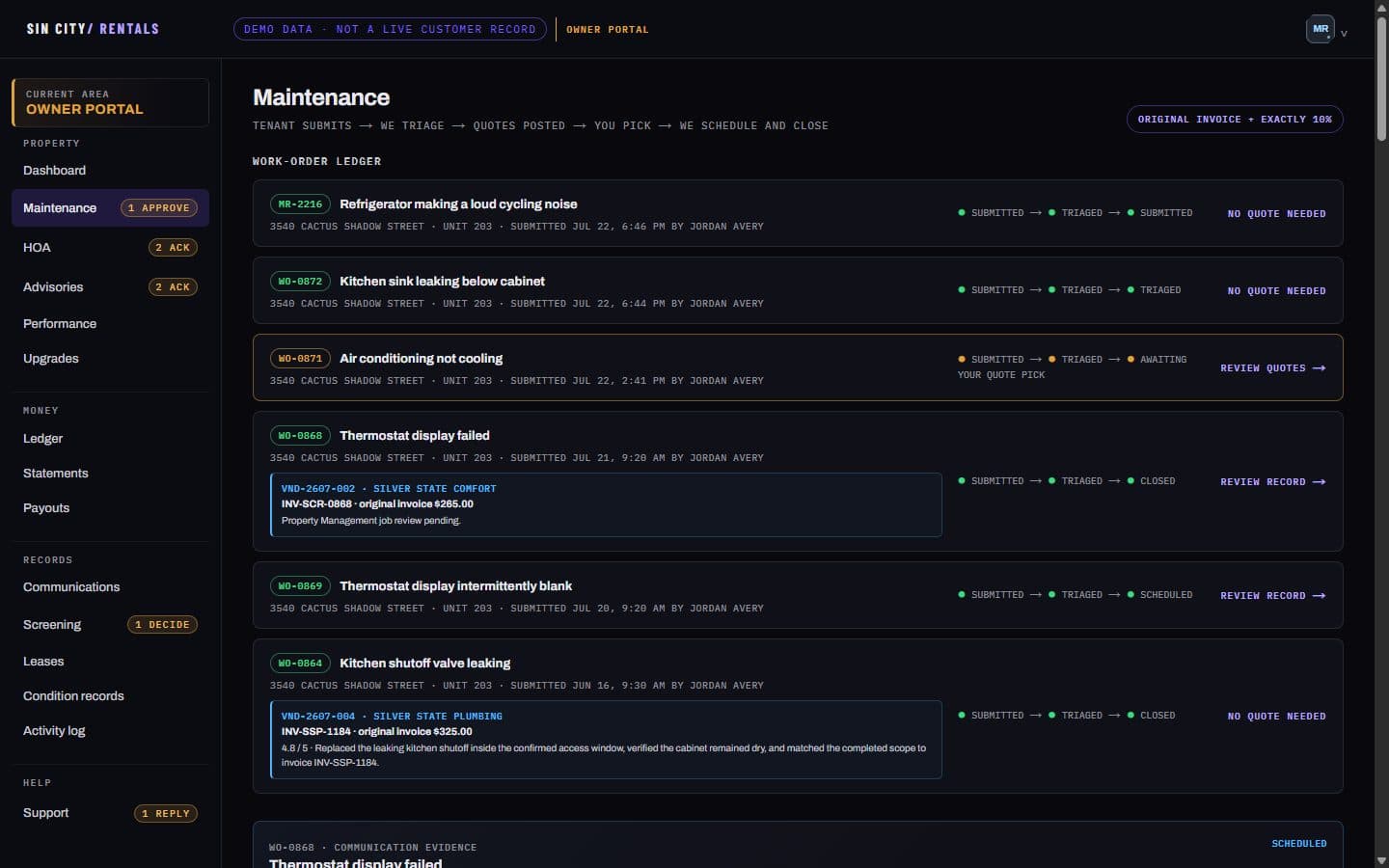
A repair you can follow from the first report to the invoice.

Every job carries its own record: what the resident said, when we triaged it, the quotes we collected, which one you chose, and the vendor's invoice at the end. The coordination fee is exactly ten percent of the invoice, and both numbers stay on the record so you can check the arithmetic.

  • Tenant submits → we triage → quotes posted → you pick → we schedule and close
  • The vendor's original invoice, not our retyping of it
  • Completion photos and the vendor's score on the closed job
Owner maintenance page showing work orders in submitted, triaged, scheduled and closed states with vendor invoices attached
Owner portalMaintenance
03 · Owner

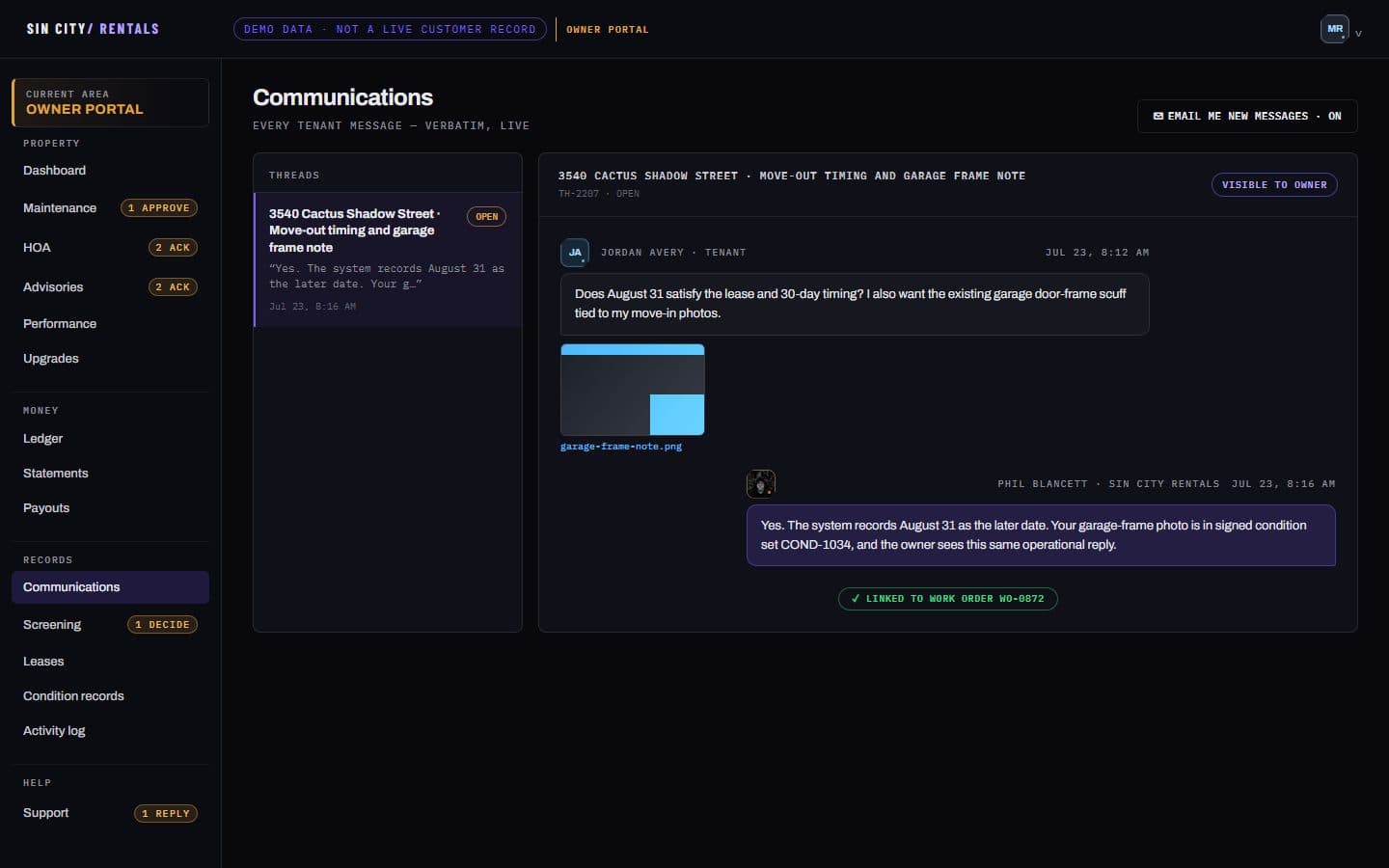
Every message between us and your resident. Verbatim.

Not a summary written afterwards. The actual thread, with attachments and timestamps, echoed into your portal as it happens. If we told your resident something, you can read exactly what we said — which is the part most owners have never been able to see.

  • Resident messages and our replies, in order, with photos
  • Linked to the work order they belong to
  • Optional email the moment a new message lands
Owner communications page showing a resident message thread with the management reply and a linked work order
Owner portalCommunications
04 · Owner

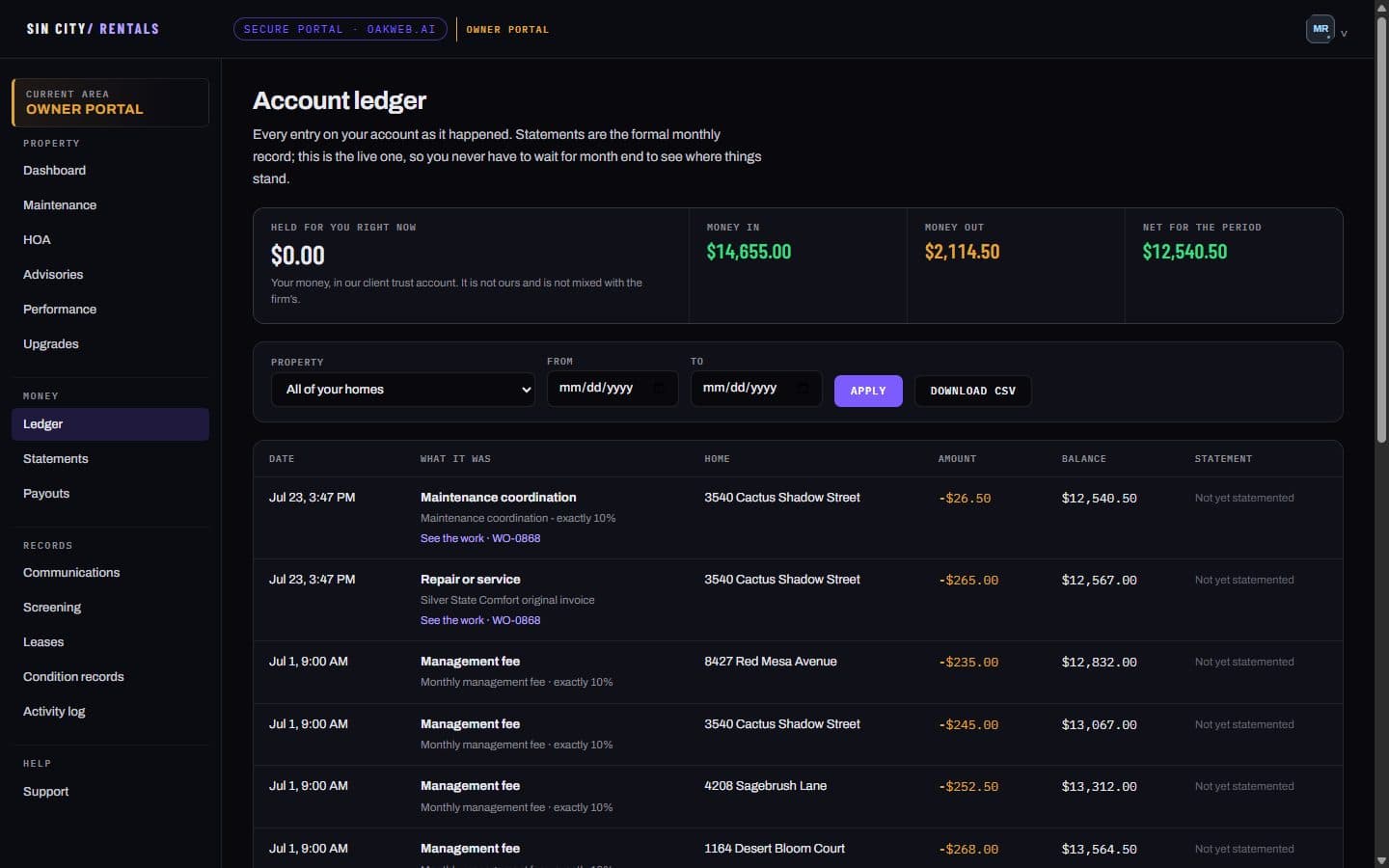
A running account, not just a monthly statement.

Statements are the formal monthly record. The ledger is the live one — every entry as it happened, with a running balance, so you never wait for month end to find out why a payout is smaller. Money we hold for you sits in a client trust account and is never mixed with ours.

  • Rent in, fees and repairs out, balance after each entry
  • Filter by home or date, download the whole thing as CSV
  • Entries not yet on a statement are marked as such
Owner account ledger with money in, money out, net for the period, and a table of entries with a running balance
Owner portalAccount ledger
05 · Resident

What your resident sees.

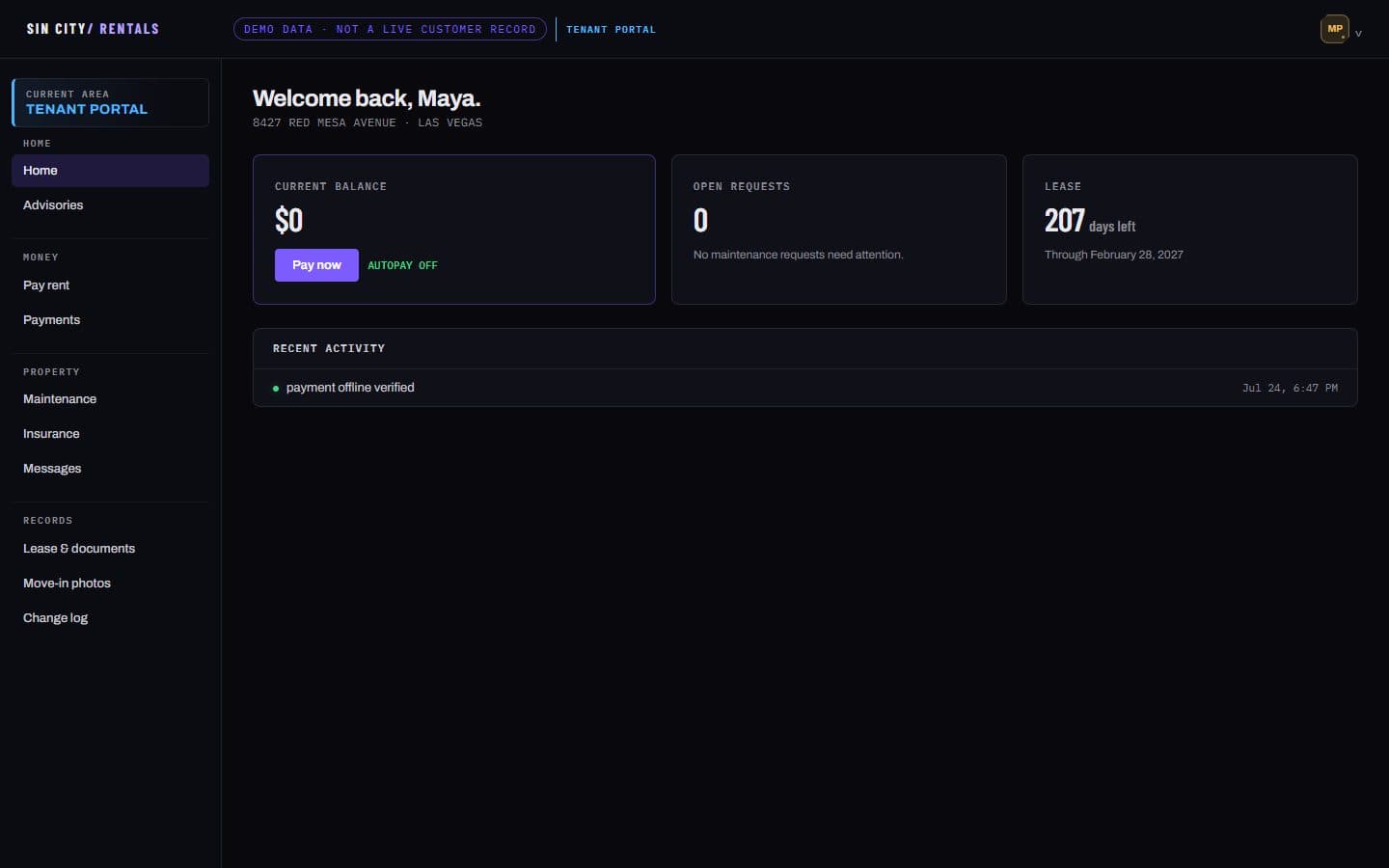
A good resident experience is not a courtesy, it is retention — a resident who can pay rent in thirty seconds and get an answer with a photo attached is a resident who renews. Balance, lease dates, maintenance and messages, without needing to phone anyone.

  • Rent, receipts and autopay
  • Maintenance requests with photos and status
  • Lease documents and the signed move-in condition record
Resident portal home screen showing current balance, open requests, days left on the lease and recent activity
Resident portalHome

The next step

Want to see it with your own property in it?

We will set up an owner account with your home, your numbers, and nothing else in it, so you can look at the real thing before deciding anything. No contract to see it.